As you may have heard elsewhere, the wiki to support the 2008 annual meeting of the Society of American Archivists is now online and waiting for your contributions.
Check out (or add to) the the pages with Maps of San Francisco, hotel information and details about public transport. Look for a roommate or a rideshare. Learn about or organize an unofficial event.
New to wikis? Well, there is a page just for you!
New to SAA Conferences? Check out the SAA First-Timer Tips. Been a million times? Well then go make sure that the First-Timer Tips page includes everything it should!
What I mention above just scratches the surface of what is on the wiki… and remember, the goal isn’t only to read but also update, add and correct the wiki. Because a full history of every page is kept there is no way for you to do anything wrong such that we cannot roll back to a prior version very easily. I am also offering help for anyone new and nervous with wikis. Either post a question on my profile page on the wiki or send me a message via my contact page.
Related Posts:
Posted on 18th June 2008
Under: SAA2008, archival community, learning technology, virtual collaboration | No Comments »
|
Print This Post
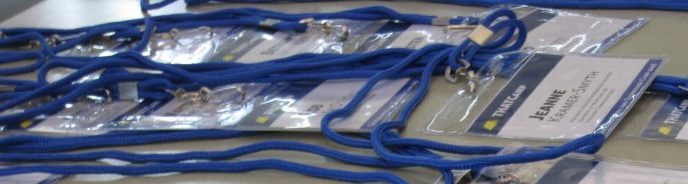
During lunch on the first day of THATCamp people volunteered to give lightning talks they called ‘Dork Shorts’. As we ate our lunch, a steady stream of folks paraded up to the podium and gave an elevator pitch length demo. These are the projects about which I managed to type URLs and some other info into my laptop. If you are looking for examples of inspirational and innovative work at the intersection of technology and the humanities - these are a great place to start!
Related Posts:
Posted on 14th June 2008
Under: THATCamp2008, information visualization, interface design, open source, software | 2 Comments »
|
Print This Post

The THATCamp session officially titled ‘Crowdsourcing’ on the schedule was actually aimed at discussing the intersection of crowdsourced transcription and collaborative annotation. The group was small - just six of us and Ben Brumfield got us going by giving us an overview of transcription software and projects:
- The FamilySearch Indexing Project is an LDS church project put out by the FamilySearch Labs. Their goals: “Volunteers extract family history information from digital images of historical documents to create searchable indexes that assist everyone in finding their ancestors.”
- The Manuscript Transcription Assistant is based at Worcester Polytechnic Institute (WPI) and is described as “a tool to assist transcribers in creating transcriptions, and incorporate meta-data about each image and transcription that can then be used to search through an electronic library of transcriptions”. I found mention in the FAQ of the desire to create a community so that “transcribers will be able to collaborate their work by rating the quality of other user’s transcriptions. By ranking the transcriptions, specific versions of transcriptions will emerge as an authority for that manuscript. ” Unfortunately, a lot of the links on that site are broken and my attempt to register gave me an error. It is not clear to me that this project is actually still active.
Related Posts:
Posted on 5th June 2008
Under: THATCamp2008, digitization, interface design, metadata, open source, software, transcription, virtual collaboration | 5 Comments »
|
Print This Post
I attended a THATCamp session on Text Mining. There were between 15 and 20 people in attendance. I have done my best to attribute ideas to their originators wherever possible - but please forgive the fact that I did not catch the names of everyone who was part of this session.
What Is Text Mining?
Text mining is an umbrella phrase that covers many different techniques and types of tools.
The CHNM NEH-funded text mining initiative defined text mining as needing to support these three research functions:
- Locating or finding: improving on search
- Extraction: once you find a set of interesting documents, how do you extract information in new (and hopefully faster) ways? How do you pull data from unstructured bulk into structured sets?
- Analysis: support analyzing the data, discovery of patterns, answering questions
The group discussed that there were both macro and micro aspects to text mining. Sometimes you are trying to explore a collection. Sometimes you are trying to examine a single document in great detail. Still other situations call for using text mining to generate automated classification of content using established vocabularies. Different kinds of tools will be important during different phases of research.
Related Posts:
Posted on 1st June 2008
Under: THATCamp2008, digitization, historical research, information visualization, learning technology, software, text mining | 1 Comment »
|
Print This Post
In case you always wondered how wikis can help archivists, this Sunday (May 25th, 2008) will see archivists gathering in Second Life to answer this question.
- When: Sunday May 25th, 9pm-10.30pm GMT (5pm-6:30pm EDT)
- Where: Open Air Auditorium at Cybrary City, Second Life
This sounds like a great way to kill two birds with one stone. If you have been looking for a reason to explore Second Life or you have been wondering about how wikis are being used to benefit archives and special collections (or both!) - this looks like a great combination.
Learn more about this event via the Second Life Library Project post How on Virtual Earth can Wikis Help Archivists?.
In the interest of full disclosure - I admit that I won’t be there. The first (and last) time I tried to explore Second Life I got motion sick after about 15 minutes. I understand that this is not very common - but since I am one of those people who get motion sick watching others play 3D video games I wasn’t too surprised. I have a theory about trying again one day with a Second Life expert at my side to help me tweak my settings to the least ‘hand held camera’ version of the Second Life experience - I just haven’t gotten there yet. Any tips from Second Life gurus welcome!
Related Posts:
Posted on 23rd May 2008
Under: archival community, learning technology, software, virtual collaboration | 3 Comments »
|
Print This Post
My trip to the 2008 Information Architecture Summit (IA Summit) down in Miami has me thinking a lot about helping people find information. In this post I am going to examine clustering data.
Flickr Tag Clusters
Tag clusters are not new on Flickr - they were announced way back in August of 2005. The best way to understand tag clusters is to look at a few. Some of my favorites are the water clusters (shown in the image above). From this page you can view the reflection/nature/green cluster, the sky/lake/river cluster, the blue/beach/sun cluster or the sea/sand/waves cluster.
So what is going on here? Basically Flickr is analyzing groupings of tags assigned to Flickr images and identifying common clusters of tags. In our water example above - they found four different sets of tags that occurred together and distinctly apart from other sets of tags. The proof is in the pudding - the groupings make sense. They get at very subtle differences even though the mass of data being analyzed is from many different individuals with many different perspectives.
Related Posts:
Posted on 14th May 2008
Under: access, information visualization, interface design, photography, search, virtual collaboration | 2 Comments »
|
Print This Post
I couldn’t let MayDay 2008 pass without pointing everyone to the amazing annotated list of MayDay resources that the Society of American Archivists (SAA) has made available.
Does your institution have a disaster plan?
If not, the list of resources include a detailed set of Free Disaster Plan Templates. Today is the perfect day to download one and start planning.
A full disaster plan too overwhelming? SAA also provides a tidy list of easy MayDay activity ideas including:
Create or Update Your Contact Lists
One of the most important elements of disaster response is knowing how to contact critical people – emergency responders, staff, and vendors. Make sure your staff members have an up-to-date list that includes as much contact information as possible: work and home phone numbers (including direct lines at work), mobile phone numbers, work and home email addresses, and any other relevant addresses. Staff at many institutions hit by hurricanes in 2005 discovered that they couldn’t use work email or phone numbers because work systems were completely out of commission; those who had an alternative phone number or email address often could connect.
Related Posts:
Posted on 1st May 2008
Under: archival community, at risk records, preservation | 1 Comment »
|
Print This Post
Dan Cohen posted yesterday about what he calls The Pirate Problem. Basically the Pirate Problem can be summed up as “there are ways of acting and thinking that we can’t understand or anticipate.” Why is that a ‘Pirate Problem’? Because a pirate pub opened near his home and rather than folding shortly thereafter due to lack of interest from the ‘very serious professionals’ who populate DC suburbs - the pub was a rousing success due to the pirate aficionados who came out of the woodwork to sing sea shanties and drink grog. This surprising turn of events highlighted for him the fact that there are many ways of acting and thinking (some people even know all the words to sea shanties without needing sheet music).
Dan recently delivered the keynote speech at a workshop at the University of North Carolina at Chapel Hill. The workshop brought together dozens of historians to talk about how the 16 million archival documents of the Southern Historical Collection (SHC) should be put online. He devoted his keynote “to prodding the attendees into recognizing that the future of archives and research might not be like the past” and goes on in his post to explain:
Related Posts:
Posted on 23rd April 2008
Under: access, context, digitization, historical research, interface design, learning technology, original order, search | 1 Comment »
|
Print This Post
I figured it couldn’t hurt to let folks know I am in Miami for the IA Summit. Anyone else from this corner of the world headed this way? If so, either drop a comment here or ping me over in IA Summit’s CrowdVine.
Related Posts:
Posted on 10th April 2008
Under: controlled vocabularies, interface design | 2 Comments »
|
Print This Post
Thanks to Digitization 101’s post I learned about the Copyright Slider. A creation of the ALA’s Office for Information Technology Policy (OITP) - you can find more official information over on ALA’s Washington Office blog (Let the OITP Copyright Slider Answer Your Questions!) and order one of your own for only a bit more than $5 (less if you order in bulk).
The Copyright Slider lets you answer questions such as (quoting the post linked to above):
- Is a work in the public domain?
- Do you need permission to use it?
- When does copyright expire?
Here is their example of how it might be used:
A library in rural Pennsylvania is digitizing its local historical collection on the copper mining industry in the region. One of the collection texts, Memoirs of a Copper Miner, was published in 1953 and is still protected by copyright. Or is it? Align the black arrow on the slide-chart to materials published between 1923 and 1963 and discover that works originally published in the U.S. between 1923 and 1977 without a copyright symbol are in the public domain! Memoirs of a Copper Miner was published in 1953 and does not have a copyright symbol. Let the digitizing begin!
Related Posts:
Posted on 9th April 2008
Under: copyright, what if | 2 Comments »
|
Print This Post